Multiple projects
Separate channels, clients or topics into independent workflows.
Sources, AI processing, schedule and destinations are configured per project. tgcparser X collects material, prepares it and publishes according to your rules.
Each project needs its own sources, style, schedule and destinations. tgcparser X keeps settings isolated and lets several flows run at the same time.
Separate channels, clients or topics into independent workflows.
Assign Telegram and MAX accounts to projects.
Prepare text through ready-made actions or custom instructions.
Set publication times and active periods.
Use the managed scheduled Telegram-post queue with capacity control.
Deliver prepared content to both platforms from one workflow.
Connect sources and choose destinations.
Add filters, AI and formatting rules.
Set schedules, delays, limits and delivery method.
The project operates independently and continues processing new material.
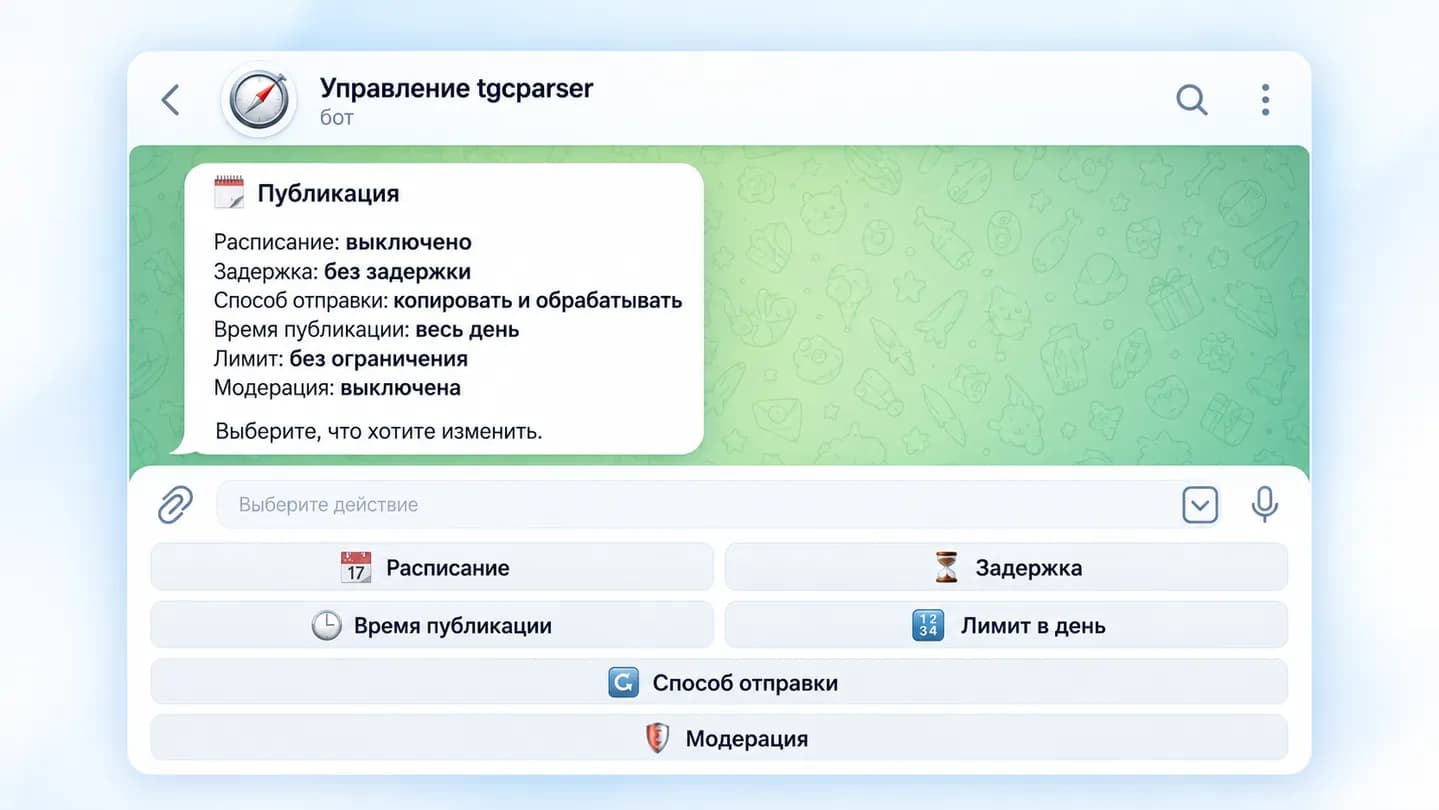
The current tgcparser X interface exposes schedules, delays, limits, delivery method and AI processing next to the rest of the project settings.
Schedule, delay, publication time, limits and delivery method
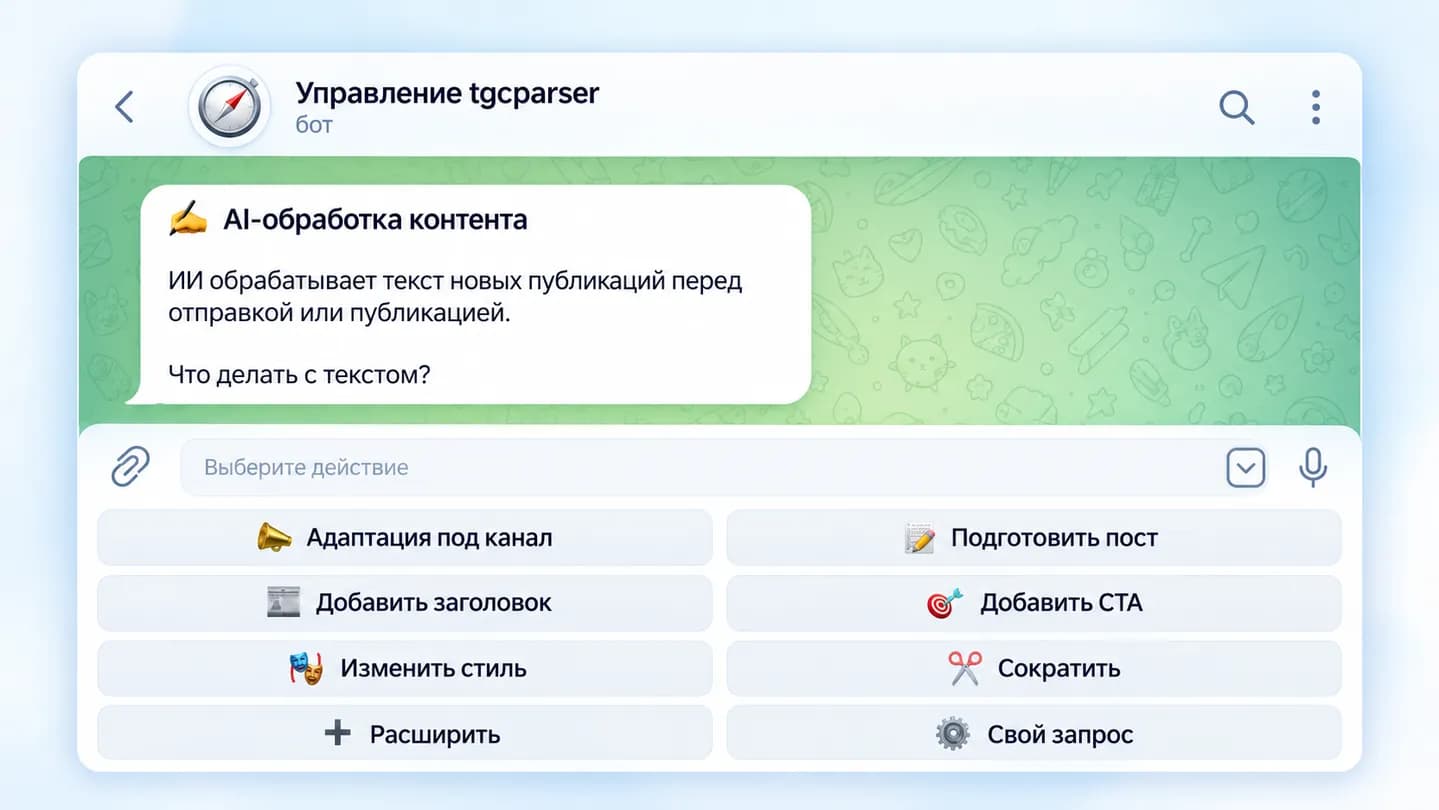
Text adaptation, headlines, CTA, style and custom instructions
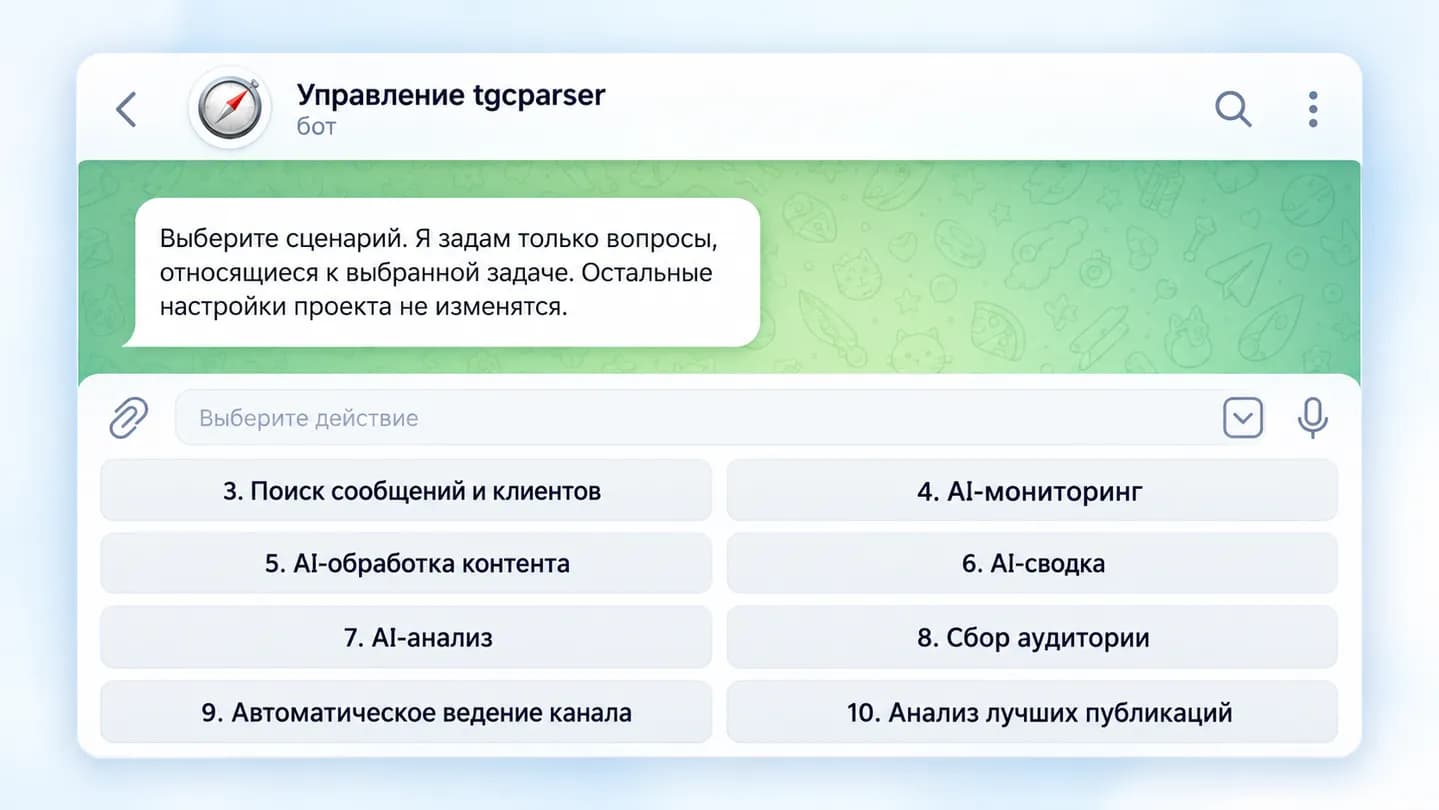
The menu shows automatic channel management, AI processing, monitoring, summary and analysis
The content parser page shows the full path from source and filtering to AI and ready publication.
Yes. Projects are isolated and can use different sources, destinations and settings.
Yes. Publication-time and schedule settings are available.
Yes. Telegram scheduled publishing uses a managed queue with capacity control.
Yes. Use ready-made actions or a custom AI instruction.
Yes. A project can deliver prepared content to assigned Telegram and MAX destinations.
Some safe settings can apply without a full restart, while restart-required changes are marked separately.
Sources, AI, schedules and Telegram/MAX destinations are combined in one tgcparser X project interface.
Try for 24 hours